On launch day the paperwork matches the floor. Every change after that has to be re-keyed into four files by whoever remembers. Most never are. You find out at the audit.
CHAIR
WHAT THEY HEAR
WHAT IT COSTS
FOUND
ENGINEERING
“Every revision, I rebuild the same thing four times.”
Each change takes weeks of hand work. The PFMEA is the one nobody gets to.
At the next revision
QUALITY
“The PFMEA says one thing. The control plan says another.”
The customer auditor finds it first, and the evidence is spread across three folders.
At the audit
OPERATIONS
“The floor is always one revision behind.”
The instruction taped to the station is whatever somebody printed last year.
At launch
ENGINEERING
“Every revision, I rebuild the same thing four times.”
Each change takes weeks of hand work. The PFMEA is the one nobody gets to.
FOUND AT THE NEXT REVISION
QUALITY
“The PFMEA says one thing. The control plan says another.”
The customer auditor finds it first, and the evidence is spread across three folders.
FOUND AT THE AUDIT
OPERATIONS
“The floor is always one revision behind.”
The instruction taped to the station is whatever somebody printed last year.
FOUND AT LAUNCH
Every document readsfrom your stations.
Define a station once: what happens there, which parts and tools it uses, what can go wrong and what catches it. The process flow, the PFMEA, the control plan, the layout and the work instruction all read from that definition.
ONE RECORDST-03 · Electrical
Steps
9
Cycle time
36 s
Operators
2
Parts
17
Tool
TX-45
Torque
9.5 Nm
Serial
scan required
Process flowdrawn from the stations
PFMEAscored at the step
Control planinherits each cause
Work instructionsone per station
Line layoutstations in place
Exportslive, watermarked
Change it once at the station. Every document that reads it flags itself. A released version is frozen; the next change makes a new one.
01PHASE 1 · BUILD THE LINE
Start with the stations.
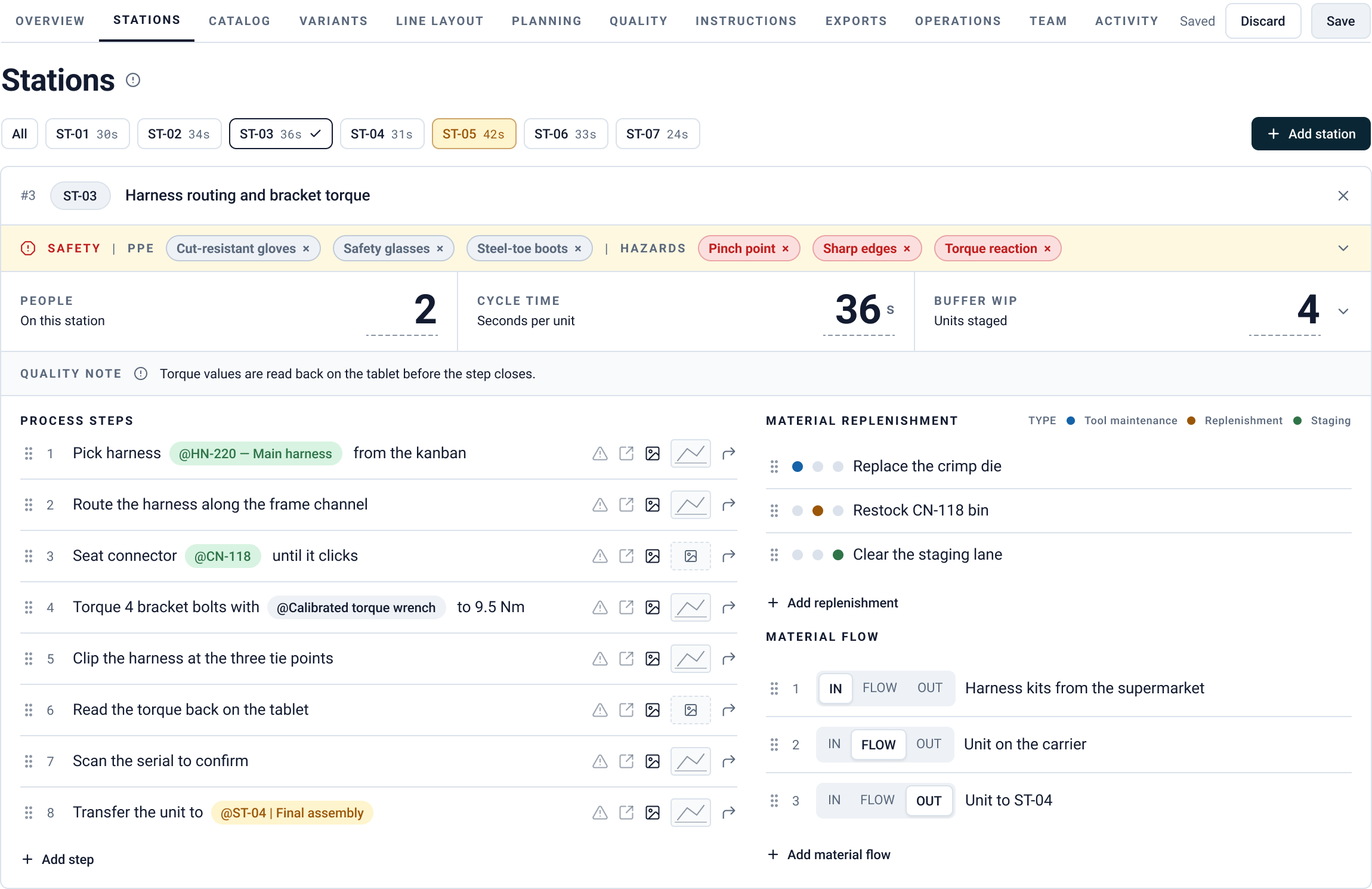
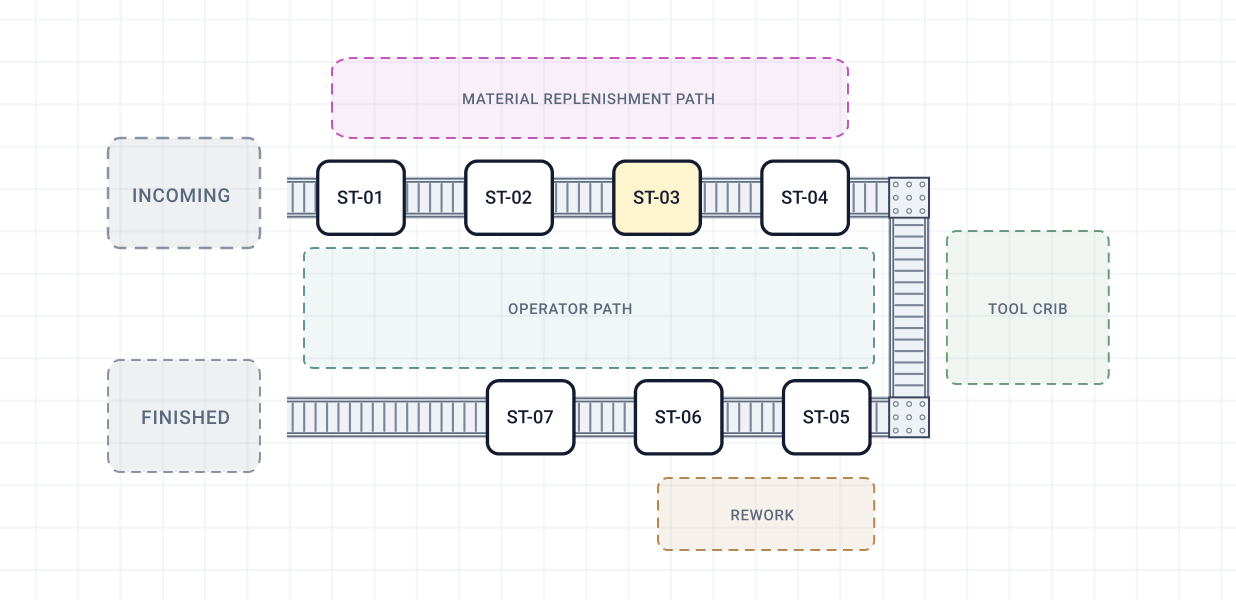
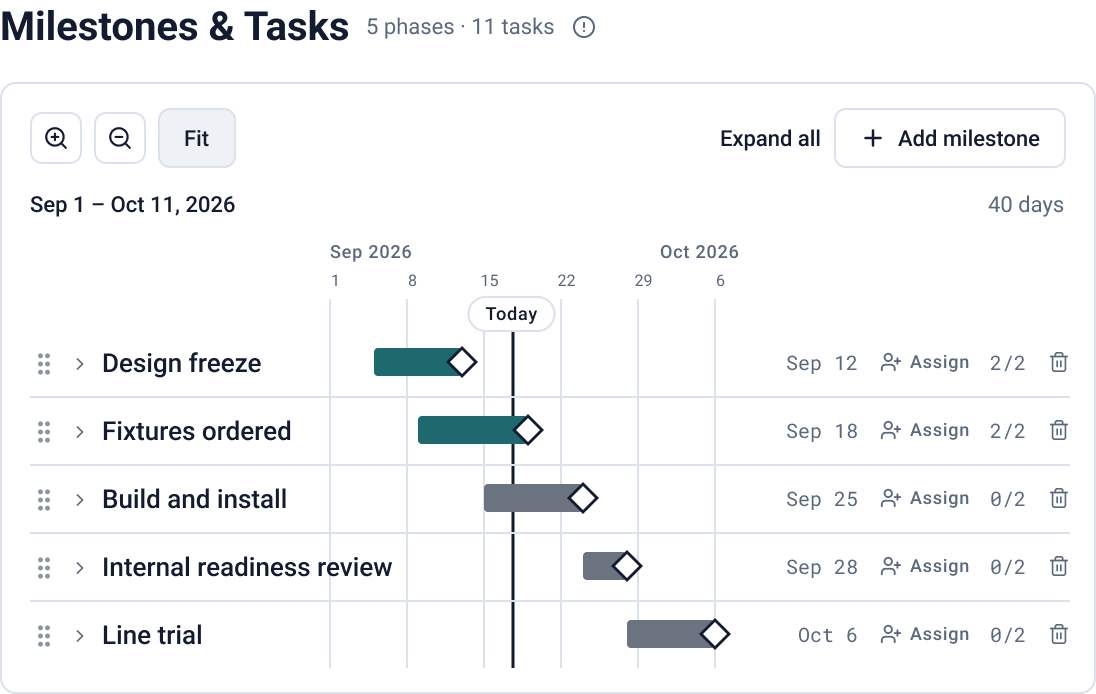
Stations and their steps are the backbone. The catalog holds the parts, tools and safety equipment each step uses. Variants capture small part changes without rebuilding the line, and the layout is where you draw it on the floor.
Stations & steps
Catalog
Variants
Line layout
Planning
line-2 / stations
line-2 / line-layout
line-2 / planning
02PHASE 2 · PROVE IT’S SAFE
Prove it’s safe.No cause without a control.
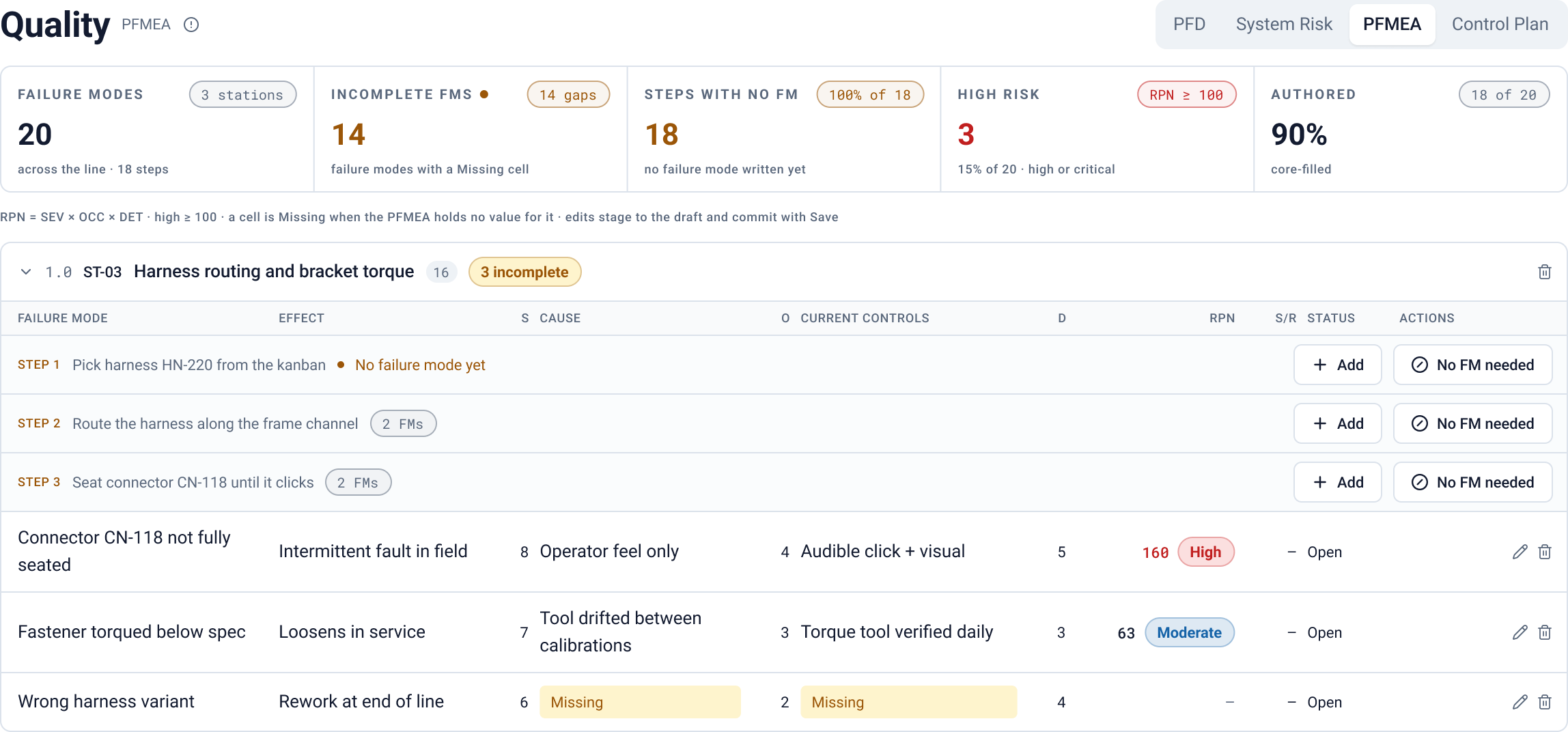
The process flow draws itself from the stations. Failure modes are scored at the step where they happen. Every control points back at the cause it covers, so a gap shows up as a gap.
Process flow
PFMEA
Control plan
System risk
line-2 / quality
03PHASE 3 · RUN IT
Run it on the floor.The numbers come back.
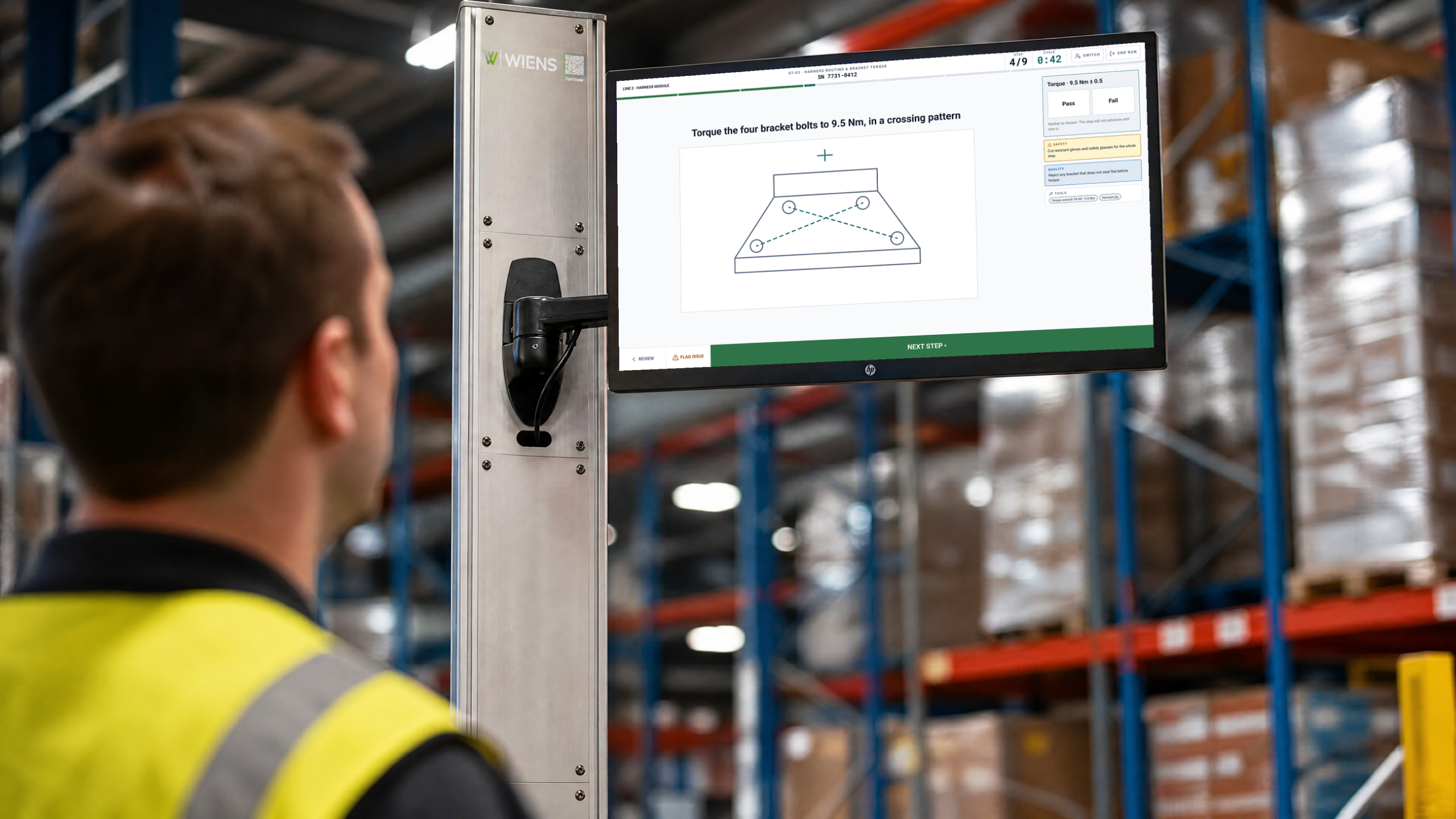
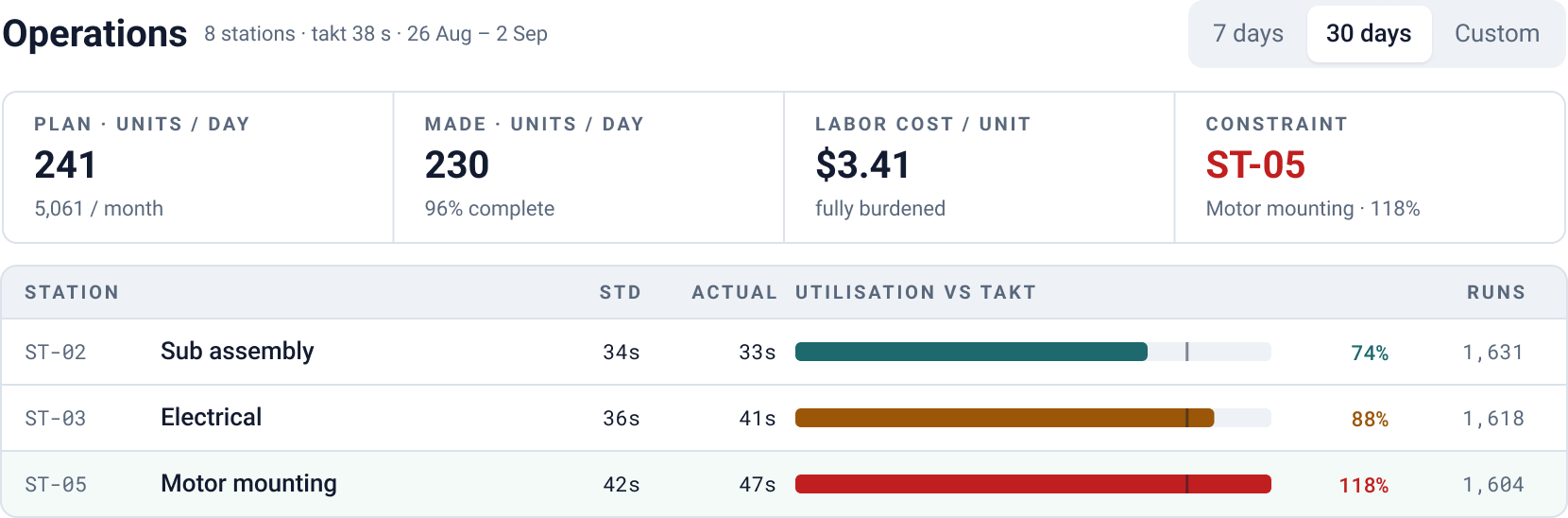
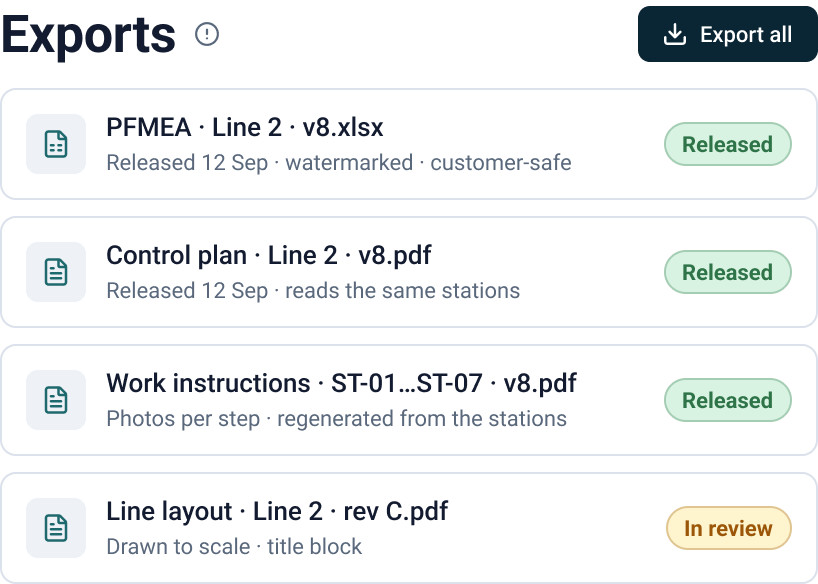
On the floor, each operator is shown one step at a time, and the export shows an overview of instructions per station. Since each run is recorded, the operations page shows what you planned, what you made, and where the line is slowest.
Work instructions
Exports
Operations
Operator view
line-2 / operations
line-2 / exports
The record keeps itself.
A change goes around once. The documents flag and regenerate, review releases them, the floor runs them, and the numbers come back.
STEP 1 OF 7A change lands
STEP 2 OF 7Documents flag
STEP 3 OF 7Views regenerate
STEP 4 OF 7Reviewaccept each draft
STEP 5 OF 7Release
STEP 6 OF 7The floor runs it
STEP 7 OF 7Runs come back
Auto-plays and drags. Each step slides to the center, holds, and hands off to the next.
What the by-hand version costs.
Hours to write each document by hand, hours spent hunting the current version, and how often the line changes. Change any of it.
$ / hr
CHANGES
YOU KEEP, YEAR ONE$89,197
against writing and maintaining the document set by hand
Example inputs. Authoring per line: 30 h PFMEA · 10 PFD · 19 CP · 24 layout, plus per station 20 PFMEA · 5 PFD · 12 CP · 6 WI. Version hunting 0.5 h per person per week. Re-issue 20 / 35 / 55% of the set.
Priced per line, by station.
Priced by the stations on your line, never by people. Fifty people on one station cost the same as one.
Workstation
$149per month, flat
1 station. A standalone station. No line layout, no process flow.
Stations, PFMEA, control plan and work instructions
People are never counted: viewers, editors and approvers are unlimited on every plan. · A standalone station with no line around it is a Workstation. · 3-day grace on adding and removing a station on a Line. Moving up from a Workstation is immediate. · 10 or more lines, or a pilot: that is Enterprise.
Common questions.
What is Stationyx?
A shared workspace where manufacturers keep assembly-line documentation as one connected system: stations, PFMEA, process flow, control plans, line layouts and work instructions. Eight modules share one data model, so a station defined once stays linked to every risk, control, diagram, instruction and export that touches it. Stationyx is a product of Wiens Corporation.
What happens when the line changes?
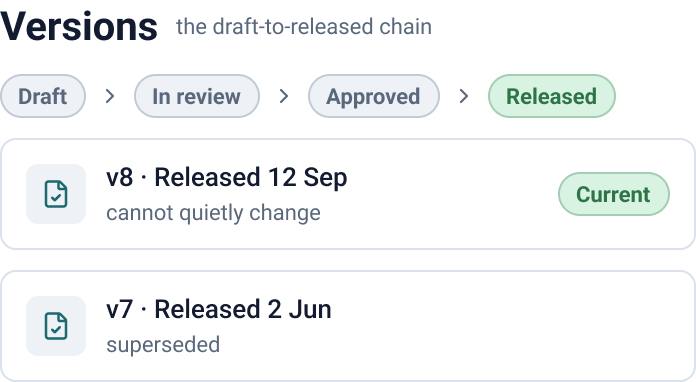
A change is made once, at the station. Every document that reads from that station flags itself, regenerates, and moves through draft, in review, approved and released. Nobody has to remember which documents depend on the spec that changed, and a released version can never quietly change afterwards.
How are the PFMEA and control plan connected?
In Stationyx, PFMEA risks are scored against the exact stations and steps where they occur, and control plan controls inherit from the PFMEA causes and link back to those same stations. Because both hang off the same stations, coverage gaps are visible rather than buried across two separate spreadsheets.
How does Stationyx help with a customer audit?
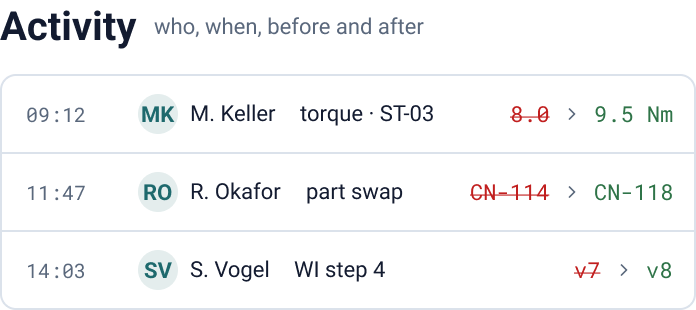
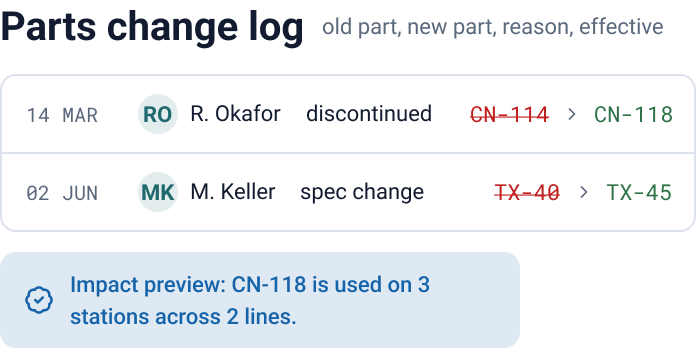
Stationyx accumulates audit evidence while the work happens. The activity trail records who changed what, when, and what it said before; version history shows the draft-to-released chain; the parts change log records old part, new part, reason and effective date. Watermarked, customer-safe XLSX and PDF exports are one click away.
Who uses Stationyx?
Stationyx is built for the engineering, quality and operations teams who own line documentation at a manufacturer. All three work from the same stations and the same current documents, instead of an engineering spreadsheet, a quality PDF and an operations copy that each update on their own schedule.
How do I get started?
Tell us about your first line through the contact form on stationyx.com. Onboarding sets up that line with your team, and additional lines are added as they launch. Stationyx replies within one business day, or reach the team directly at hello@stationyx.com.
Start with one line.
Tell us about your first line. We set it up with your team and add the others as they launch. You’ll hear back within a business day.